Diwali is one of the most colourful and exciting festivals of the year. Homes are decorated with lights, diyas brighten every corner, families celebrate together, and social media becomes filled with beautiful festive videos. In recent years, AI video creation has made it possible for anyone to create impressive Diwali-themed videos without professional cameras, expensive editing software, or advanced video production skills.
With the help of artificial intelligence, you can transform a simple idea, photo, or text prompt into a cinematic Diwali video. Whether you want to create a festive Instagram Reel, YouTube Short, greeting video, promotional content, or a personalized Diwali message, AI tools can make the process faster and easier.
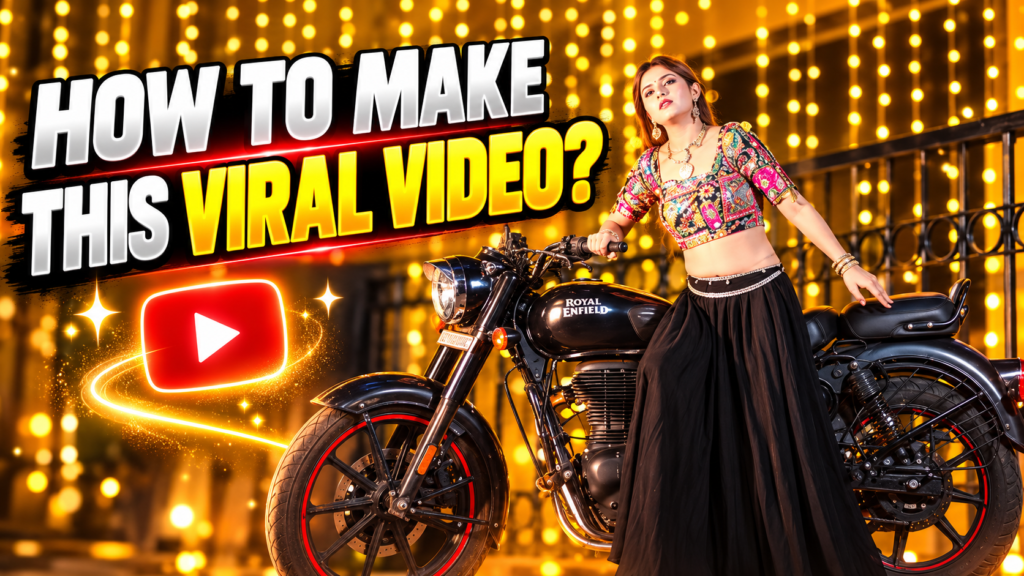
In this article, you will learn how to make a Diwali AI video step by step, from planning your idea to generating scenes and adding music.
What Is a Diwali AI Video?
A Diwali AI video is a video created or enhanced with artificial intelligence. Instead of recording every scene manually, AI tools can generate visuals based on your written instructions.
For example, you can describe a scene such as:
A beautiful Indian home decorated with glowing diyas, colourful rangoli, warm fairy lights, fireworks in the night sky, and a cinematic festive atmosphere.
An AI video generator can use this description to create a visual scene based on your idea.
You can also use AI to:
- Create Diwali-themed video scenes
- Animate photographs
- Generate cinematic backgrounds
- Add virtual characters
- Create voiceovers
- Generate festive scripts
- Add automatic subtitles
- Enhance video quality
- Create smooth transitions
This makes AI video creation useful for beginners as well as experienced content creators.
Step 1: Decide What Type of Diwali Video You Want to Create
Before using any AI tool, decide what your video will be about. A clear concept will help you create better scenes and maintain a consistent style.
Some popular Diwali AI video ideas include:
1. Diwali Greeting Video
Create a beautiful video wishing your audience, friends, family, or followers a Happy Diwali.
2. Cinematic Diwali Video
Generate dramatic scenes featuring diyas, Indian streets, decorations, fireworks, and festive celebrations.
3. AI Photo-to-Video
Use your own photograph and turn it into a moving Diwali-themed video.
4. Social Media Reel
Create a short vertical video for Instagram, Facebook, or YouTube Shorts.
5. Business Promotion Video
Create a Diwali promotional video for your product, website, service, or brand.
Choosing the purpose of your video before starting will make the entire creation process easier.
Step 2: Write a Creative Diwali Video Prompt
The quality of an AI-generated video often depends on the quality of your prompt. A prompt is simply a detailed description that tells the AI what you want to see.
Instead of writing only:
“Make a Diwali video.”
Try writing something more detailed.
For example:
“A cinematic Diwali celebration in India, glowing diyas placed around a colourful rangoli, warm golden lights decorating a traditional home, people wearing beautiful festive clothes, sparkling fireworks in the night sky, realistic lighting, emotional and cinematic atmosphere, high detail.”
A detailed prompt gives the AI more information about:
- Location
- Lighting
- Mood
- Characters
- Clothing
- Decorations
- Camera movement
- Visual style
The more clearly you describe your idea, the easier it becomes for the AI to generate a suitable scene.
Step 3: Choose an AI Video Creation Tool
There are different types of AI tools available for video creation. Some tools focus on text-to-video generation, while others can animate images or help with editing.
When selecting a tool, consider features such as:
- Video quality
- Video duration
- Realistic animation
- Camera movement
- Image-to-video support
- Vertical video format
- Editing options
- Watermark availability
For short-form content, choose a format suitable for mobile viewing. A vertical 9:16 aspect ratio is usually ideal for Reels and Shorts.
If you are creating a longer YouTube video, you may prefer a horizontal 16:9 format.
Step 4: Create Your Diwali Scenes
Instead of trying to generate an entire long video in one step, create multiple short scenes. This gives you more control over the final result.
For example, your Diwali video could include the following scenes:
Scene 1: Festival Introduction
A dark evening slowly lights up with hundreds of glowing diyas.
Scene 2: Rangoli Decoration
A colourful rangoli is being created outside a beautifully decorated home.
Scene 3: Festive Celebration
Family members wearing traditional Indian clothes celebrate together.
Scene 4: Fireworks
Beautiful fireworks appear in the night sky.
Scene 5: Final Message
A glowing text message appears:
Happy Diwali – May Your Life Shine With Happiness and Success
Creating separate scenes allows you to select the best results and combine them during editing.
Step 5: Use Your Photo for a Personalized AI Diwali Video
One of the most popular ways to create an AI Diwali video is by using a personal photograph.
You can upload a clear photo and create a prompt describing how the scene should look.
For example:
“Transform this person into a cinematic Diwali celebration scene, wearing elegant traditional Indian clothing, surrounded by glowing diyas and colourful festive decorations, warm golden lighting, realistic facial details, cinematic camera movement.”
For better results, use a photo that has:
- A clear face
- Good lighting
- High image quality
- Minimal blur
- A visible subject
Always review the generated video to ensure that the face and appearance remain natural.
Step 6: Add Diwali Music and Sound Effects
Music plays an important role in making a video feel festive and emotional.
You can add:
- Traditional instrumental music
- Festive background music
- Soft devotional sounds
- Cinematic music
- Firework sound effects
- Diya or celebration ambience
Choose music that matches the mood of your video. If you are creating a fast and energetic Reel, use upbeat music. For an emotional Diwali greeting video, softer music may work better.
Make sure you have the appropriate rights or permission to use music, especially if you plan to monetize your content.
Step 7: Add Text and a Diwali Message
Text can make your video more engaging and help communicate your message quickly.
Some examples include:
Happy Diwali 2026
May Your Life Shine Brighter Than a Thousand Diyas
Wishing You Happiness, Peace and Prosperity
Celebrate Diwali With Love and Light
Keep your text easy to read. Avoid adding too many words to one scene.
For social media videos, large and clear text usually works better because many viewers watch videos on small mobile screens.
Step 8: Add Voiceover Using AI
You can also make your Diwali video more personal by adding a voiceover.
For example:
“This Diwali, let us fill our lives with happiness, love and positivity. May every diya bring new hope and every moment bring beautiful memories. Wishing you and your family a very Happy Diwali.”
AI voice tools can convert your written script into spoken audio.
You can choose a voice that sounds:
- Warm
- Friendly
- Emotional
- Energetic
- Professional
For Indian audiences, you may also create your voiceover in Hindi, English, or a combination of both.
Step 9: Edit All AI Clips Together
Once your AI-generated scenes are ready, combine them using a video editing application.
Arrange your clips in the correct order and add:
- Smooth transitions
- Background music
- Text
- Voiceover
- Sound effects
- Colour adjustments
- Subtitles
Do not make every scene too long. Short, visually interesting clips can help maintain viewer attention.
For Instagram Reels and YouTube Shorts, try to create a strong opening during the first few seconds. An attractive first scene can encourage viewers to continue watching.
Step 10: Export and Share Your Diwali AI Video
Before exporting, check the video carefully.
Make sure that:
- The video is not blurry
- Text is readable
- Audio is clear
- Transitions are smooth
- Scenes match each other
- The video format is correct
For Instagram Reels and YouTube Shorts, use a vertical format whenever possible.
After exporting, you can upload your video with an attractive title and caption.
For example:
“This Diwali, AI Made My Festival Video Look Cinematic! ✨🪔”
You can also use relevant hashtags such as:
#Diwali #HappyDiwali #DiwaliAI #AIVideo #DiwaliVideo #FestivalOfLights #AIGenerated
Final Thoughts
Creating a Diwali AI video is now easier than ever. You do not need professional cameras, actors, expensive locations, or advanced editing knowledge to create visually attractive festive content. With a creative idea, a detailed prompt, AI-generated scenes, music, and simple editing, you can produce a unique video for social media or personal celebrations.
The secret to creating a great AI video is creativity. Experiment with different prompts, lighting styles, camera movements, and Diwali scenes. Try combining traditional Indian festival elements with cinematic visuals to make your content stand out.
Whether you are creating a Happy Diwali greeting, an Instagram Reel, a YouTube Short, or a promotional video, AI gives you the opportunity to turn your imagination into engaging visual content.
Start with a simple idea, create your scenes one by one, edit them together, and share your own beautiful Diwali AI video with the world. 🪔✨
