AI-generated cake videos are becoming a creative way to make eye-catching content for social media. From realistic cake-cutting clips to colorful fantasy cakes and satisfying chocolate transformations, artificial intelligence makes it possible to create impressive videos without a professional camera or expensive equipment.
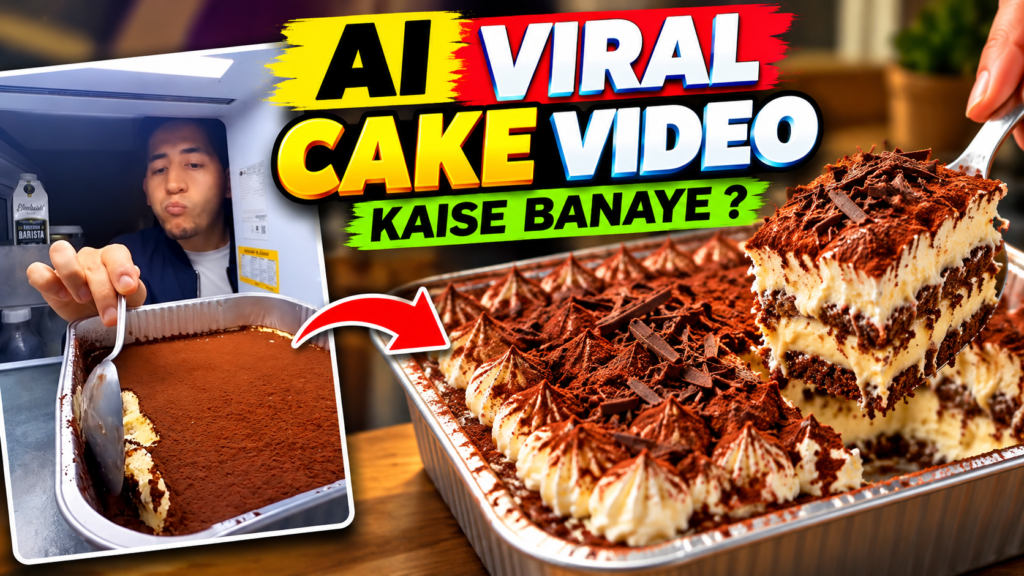
If you want to learn how to make AI viral cake videos, you can start with simple AI image generators, video creation tools, and a basic editing app. With the right concept, attractive visuals, and a strong opening, you can create content that captures viewers’ attention.
In this guide, you will learn how to create AI cake videos step by step, write effective prompts, edit your clips, and improve your chances of reaching a larger audience.
What Are AI Viral Cake Videos?
AI cake videos are short videos created partially or entirely with artificial intelligence. They often feature unusual cake designs, realistic frosting, creative cutting scenes, and visually satisfying effects.
Popular ideas include:
- Realistic cakes that look like everyday objects.
- Colorful rainbow cakes with multiple layers.
- Chocolate cakes with flowing ganache.
- Miniature cakes with detailed decorations.
- Fantasy cakes made from flowers, crystals, or unusual materials.
- Cake-cutting videos with satisfying textures.
These videos can attract viewers because they combine creativity, visual surprise, and satisfying moments in a short format.
Benefits of Creating AI Cake Videos
1. No Professional Equipment Required
You do not need a DSLR camera, studio lighting, or a professional kitchen. AI tools can help you generate cake images and turn them into short video clips.
2. Unlimited Creative Ideas
You can experiment with different cake shapes, colors, toppings, and backgrounds. For example, you could create a cake that resembles a glass fruit, a tiny house, or a colorful galaxy.
3. Suitable for Short-Form Content
AI cake videos can work well on Instagram Reels, YouTube Shorts, and TikTok because their visual style is suitable for short, attention-grabbing clips.
4. An Opportunity to Build a Content Page
You can create a dedicated social media page featuring AI desserts, cake transformations, satisfying food animations, or fantasy bakery concepts.
However, going viral is never guaranteed. Your results depend on the quality of your content, audience interest, originality, and consistency.
How to Make AI Viral Cake Videos Step by Step
Step 1: Choose a Creative Cake Idea
Start by selecting a concept that viewers can understand immediately. Unusual but visually appealing ideas can make your video more memorable.
For example, you could create a transparent strawberry cake, a chocolate waterfall cake, a miniature birthday cake, or a rainbow cake with colorful layers.
Before creating your video, decide what will happen in the final scene. A clear visual transformation can give viewers a reason to keep watching.
Step 2: Generate a Realistic Cake Image
Use an AI image-generation tool to create a high-quality image of your cake. Describe the cake’s appearance, texture, lighting, background, and camera angle.
For social media, a vertical composition with a 9:16 aspect ratio is usually a useful starting point.
Example AI image prompt:
“Create an ultra-realistic strawberry cake on a clean white plate, covered with glossy pink frosting and fresh strawberries. Show detailed cream textures, soft studio lighting, a modern kitchen background, close-up food photography, realistic shadows, sharp details, and a vertical 9:16 composition. No text, no watermark.”
Generate a few variations and select the image with the most attractive composition.
Step 3: Convert the Image Into a Video
Once your cake image is ready, use an AI image-to-video tool to animate it. Depending on the tool, you may be able to add camera movement, realistic hand movements, frosting effects, or cake-cutting actions.
Example AI video prompt:
“Animate this cake in a realistic food-commercial style. Slowly move the camera closer to the cake. A clean cake knife gently cuts through the soft frosting, revealing colorful cake layers inside. Keep the cake shape consistent, preserve the original lighting, use natural movement, and create a smooth five-second vertical video.”
Keep your instructions simple. Too many actions in one prompt can produce inconsistent results.
Always check the generated clip for distorted hands, changing cake shapes, unrealistic knife movements, or visual glitches.
Step 4: Add Satisfying Visual Effects
The most important part of a cake video is often its visual payoff. Consider adding:
- A close-up of a knife cutting through soft frosting.
- A reveal of colorful cake layers.
- A slow-motion chocolate drizzle.
- A smooth transition from a plain cake to a decorated cake.
- A close-up showing the texture of cream and sponge.
Choose effects that match your original idea rather than adding too many unrelated elements.
Step 5: Edit Your Video for Social Media
Use a video editor such as CapCut, VN, or another editing application to polish your clip.
Follow these editing tips:
- Remove unnecessary pauses and awkward frames.
- Keep the most interesting moment near the beginning.
- Use smooth cuts and subtle zoom effects.
- Add suitable background music or satisfying sound effects.
- Keep the video vertical for Reels and Shorts.
- Export at 1080 × 1920 pixels when supported by your source footage and editor.
A short video of around 6–15 seconds can be a useful starting point for testing different concepts, although the ideal length depends on the idea and audience.
Step 6: Add a Strong Hook
The opening moment should give viewers a reason to continue watching.
Here are some original hook ideas:
- “This cake looks impossible to cut!”
- “Wait until you see the inside of this cake.”
- “Would you eat this AI-generated cake?”
- “The most satisfying cake transformation.”
- “What do you think is hidden inside?”
Use a hook that accurately reflects the video. Avoid promising a reveal that never happens.
Step 7: Upload With an Optimized Caption
Write a short caption that describes the video and encourages genuine interaction.
Example Instagram Reel caption:
“Would you try this dreamy AI cake? 🍰✨ The layers, colors, and textures look unreal! Which cake should I create next?”
You can also use a small set of relevant hashtags, such as:
#AICake #AIVideo #CakeArt #SatisfyingVideos #AICreativity #FoodReels
Use hashtags that genuinely match your content rather than relying on unrelated trending tags.
Step 8: Publish Consistently and Analyze Results
Create several variations of your idea and compare their performance. For example, publish a chocolate cake, a rainbow cake, and a fantasy crystal cake to discover which visual style your audience prefers.
Track useful metrics such as watch time, completion rate, shares, saves, and comments. Use these results to improve your next videos.
Consistency can help you learn what works, but avoid publishing low-quality clips simply to meet a daily target.
Best AI Prompts for Viral Cake Videos
Here are three additional prompts you can customize for your next creation.
Prompt 1: Chocolate Cake Cutting
“Create a photorealistic close-up video of a rich chocolate cake covered in glossy ganache. A knife slowly slices through the cake, revealing soft chocolate sponge and smooth cream layers. Realistic food textures, cinematic lighting, steady camera, natural motion, satisfying cutting sounds if supported, vertical 9:16 format.”
Prompt 2: Rainbow Cake Reveal
“Animate a beautiful rainbow-layer cake on a white ceramic plate. A knife gently cuts one slice, revealing bright red, orange, yellow, green, blue, and purple layers. Realistic frosting, soft daylight, detailed cake texture, smooth motion, clean background, close-up framing, vertical video.”
Prompt 3: Fantasy Crystal Cake
“Create a visually stunning fantasy cake decorated with translucent crystal-like sugar decorations and shimmering edible-looking details. Slowly orbit the camera around the cake, then reveal its colorful interior with a clean slice. Elegant lighting, realistic dessert textures, smooth camera motion, vertical 9:16 composition.”
These prompts are starting points, not guarantees of perfect results. Adjust them based on the capabilities of your chosen AI tool.
Common Mistakes to Avoid
Using Complicated Prompts
A prompt with too many actions can create confusing motion. Describe one main action at a time and generate separate clips if needed.
Ignoring Visual Consistency
If the cake changes shape between frames, the video may look artificial. Use image-to-video generation, where available, and check the final result carefully.
Making the Video Too Slow
Long introductions can cause viewers to leave. Start with the cake or the most interesting visual moment.
Copying Other Creators
Use trending formats for inspiration, but create your own concepts, prompts, edits, and presentation. This helps establish a recognizable style and reduces copyright concerns.
Ignoring Platform Rules
Follow the current rules of the platform where you publish. If realistic AI-generated content could mislead viewers, use the relevant AI disclosure tools or labels when required.
Frequently Asked Questions
Can I Make AI Cake Videos for Free?
Yes. Some AI tools and video editors offer free plans or limited credits. However, generation limits, watermarks, export quality, and commercial-use permissions vary by service.
Can AI Cake Videos Go Viral on Instagram?
They can attract significant attention, but virality is unpredictable. Original concepts, strong opening visuals, good editing, and audience retention may improve your chances.
Do I Need Editing Skills?
No advanced skills are necessary to start. You can begin with a single AI-generated image, animate it, and trim the result using a beginner-friendly editor.
Can I Earn Money From AI Cake Videos?
Monetization may be possible through eligible platform programs, sponsorships, or other content-related opportunities. Eligibility depends on the platform’s current policies, originality requirements, and your account’s status.
What Is the Best Length for an AI Cake Reel?
Try testing short clips of approximately 6–15 seconds. Compare the results with longer versions if your concept needs more time to build suspense or show a transformation.
Conclusion
Making AI viral cake videos is a creative way to explore artificial intelligence and short-form content creation. Start with an interesting cake idea, generate a realistic image, animate it with a clear prompt, and edit the result into a polished vertical video.
Focus on visual quality, originality, satisfying moments, and audience feedback instead of relying only on hashtags or trends. With regular experimentation, you can develop your own style and discover which AI cake concepts connect best with your viewers.
