AI-generated videos are becoming increasingly popular on Instagram Reels, YouTube Shorts, Facebook Reels, and other social media platforms. One of the latest creative trends is funny AI cartoon videos featuring animated animals, expressive characters, humorous classroom situations, and unexpected reactions.
You might have seen videos featuring crocodile teachers, funny student characters, and entertaining reactions. These videos attract attention because they combine storytelling, comedy, colorful animation, and realistic movements.
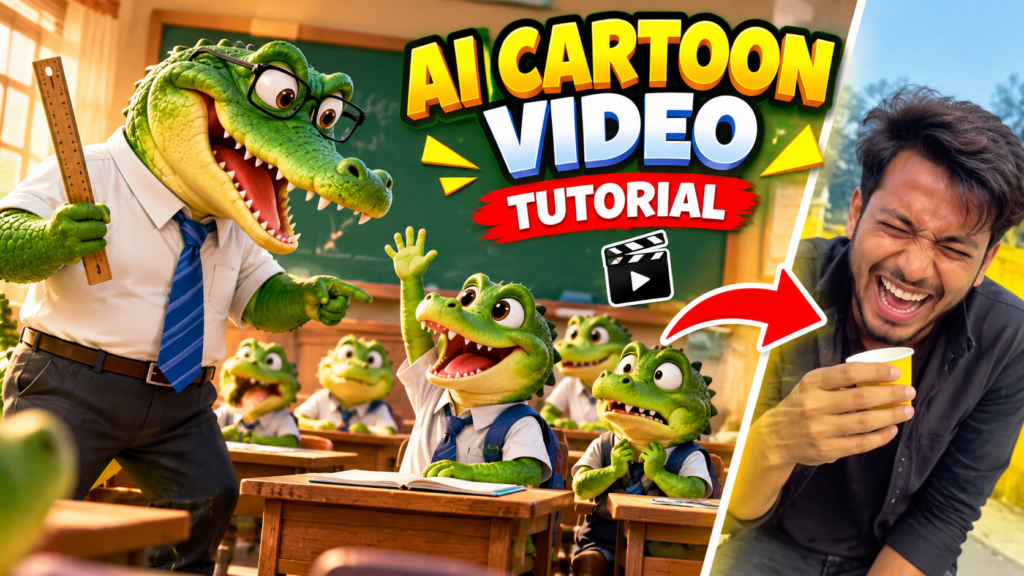
The best part is that you don’t need professional animation skills or expensive equipment to create similar videos. With modern AI video generators, you can turn simple text prompts into entertaining animated videos.
In this guide, we will explain how to create viral AI cartoon videos step by step using AI tools.
1. What Are AI Cartoon Videos?
AI cartoon videos are animated videos created with the help of artificial intelligence. Instead of manually designing characters, creating backgrounds, and animating every movement, you can describe your idea using text prompts.
AI tools can generate characters, environments, facial expressions, camera movements, and animations.
For example, you can create a funny classroom scene featuring a green crocodile teacher and several crocodile students. You can also make the characters talk, laugh, react, and perform funny activities.
These videos are suitable for entertainment channels, meme pages, and short-form video content.
2. Why Are AI Cartoon Videos Becoming Popular?
AI cartoon videos are gaining popularity because they offer something different from traditional videos.
Here are some reasons behind their popularity:
- Funny storytelling: Cartoon characters make ordinary situations entertaining.
- Unique characters: You can create original animals and fictional personalities.
- Easy production: AI tools reduce the time required for animation.
- Creative freedom: You can generate almost any imaginary situation.
- Short-form compatibility: Funny animated clips work well with Reels and Shorts.
Another advantage is that you can experiment with different characters and stories without hiring a professional animation team.
3. Best AI Tools to Create Cartoon Videos
You need a few AI tools to create professional-looking animated videos.
1. Google Veo
Google Veo can generate cinematic videos from text prompts and reference images. It is useful for creating realistic movements, character interactions, and detailed environments.
2. Kling AI
Kling AI is useful for creating animated characters with realistic motion. You can use text-to-video or image-to-video features depending on the available version.
3. Runway AI
Runway offers AI-powered video creation and editing features. It can help you produce creative scenes with cinematic camera movements.
4. Hailuo AI
Hailuo AI can help generate short animated clips from text descriptions and images.
Choose a tool based on your video quality requirements, budget, and available generation credits.
4. How to Create AI Cartoon Characters
The first step is creating your main character.
For example, if you want to create a crocodile classroom video, you should generate a green crocodile teacher and a few crocodile students.
Your character prompt should describe:
- Character appearance
- Clothing and accessories
- Facial expressions
- Body structure
- Animation style
- Background environment
A detailed prompt helps AI understand your creative idea.
Try to maintain the same character appearance across different scenes. Using reference images can help improve character consistency.
5. Write a Creative AI Video Prompt
A good prompt is one of the most important parts of AI video creation.
Instead of writing a simple instruction such as “Create a crocodile video,” describe the complete scene.
Here is an example prompt:
AI video prompt:
Create a funny, high-quality 3D animated classroom scene featuring a green anthropomorphic crocodile teacher wearing a white shirt, blue tie, and black trousers. Several cute baby crocodile students are sitting at wooden school desks. One student suddenly raises his hand to answer a question. The teacher looks surprised and walks toward the student with a funny facial expression. The student looks nervous and confused. Use expressive cartoon faces, cinematic camera movements, realistic lighting, detailed crocodile skin textures, and smooth animation. Make the scene humorous and entertaining. Vertical 9:16 format, high-quality 3D animation.
You can modify this prompt to create different characters, locations, and funny situations.
6. Generate Your Video Scene by Scene
One common mistake beginners make is trying to generate an entire 20-second video using a single prompt.
Instead, divide your story into smaller scenes.
For example:
| Scene | Duration | Description |
| Scene 1 | 4 seconds | Crocodile teacher introduces the classroom |
| Scene 2 | 4 seconds | Student raises his hand |
| Scene 3 | 4 seconds | Teacher gives a funny reaction |
| Scene 4 | 3 seconds | Student looks confused |
| Scene 5 | 4 seconds | Unexpected funny reaction ending |
Generate each scene separately and combine them during editing.
This approach gives you more control over storytelling, camera angles, and character movements.
7. Add Voiceovers and Funny Sound Effects
Sound effects make animated videos more entertaining.
You can add different sounds depending on the situation:
- Funny background music
- Cartoon laughing sounds
- Classroom atmosphere
- Footsteps
- Surprise sound effects
- Funny reaction sounds
You can also use AI voice generation tools to create different voices for teachers and students.
For example, give the crocodile teacher a deep, serious voice and the student a funny, nervous voice.
Make sure the voice matches the character’s expressions and movements.
8. Edit Your AI Video Using CapCut
After generating all your clips, the next step is editing.
CapCut is a popular option for editing short-form videos.
Follow these steps:
- Import all generated AI video clips.
- Arrange them in the correct sequence.
- Remove unnecessary pauses.
- Add background music.
- Insert funny sound effects.
- Add subtitles if needed.
- Adjust brightness and contrast.
- Export the final video in vertical 9:16 format.
Try to make the first three seconds interesting because the opening plays an important role in attracting viewers.
9. Best Settings for Instagram Reels and YouTube Shorts
Before publishing your video, use suitable export settings.
| Setting | Recommended |
| Aspect ratio | 9:16 |
| Resolution | 1080 × 1920 |
| Frame rate | 30 FPS |
| Format | MP4 |
| Duration | 15–30 seconds |
| Video quality | High |
Keep your videos entertaining and avoid unnecessary introductions.
10. Tips to Get More Views on AI Cartoon Videos
Creating a video is only the first step. You also need an effective content strategy to reach more viewers.
Here are some useful tips:
Create an attractive opening: Start with a funny or surprising moment to encourage viewers to continue watching.
Use original characters: Develop recognizable characters that viewers can associate with your content.
Follow storytelling: Every video should have a beginning, middle, and ending.
Experiment with different ideas: Try classroom comedy, animal conversations, funny teachers, and unexpected reactions.
Post consistently: Maintain a regular uploading schedule.
Use relevant hashtags: Add hashtags related to AI animation, funny cartoons, and entertainment.
Analyze performance: Check audience retention, shares, comments, and views to understand which videos perform better.
Remember that viral results are never guaranteed. Focus on improving your storytelling and video quality.
11. Can You Earn Money From AI Cartoon Videos?
Yes, AI-generated cartoon videos can become part of a monetization strategy.
You can publish original content on YouTube, Instagram, and Facebook. Depending on platform eligibility and monetization policies, you may be able to earn through advertising revenue, brand collaborations, and other creator opportunities.
However, simply generating AI videos does not guarantee monetization.
Create original stories, add meaningful creative input, avoid repetitive low-effort content, and follow the relevant platform policies.
Conclusion
Creating funny AI cartoon videos is becoming easier with modern artificial intelligence tools. You don’t need advanced animation knowledge or expensive software to get started.
By combining AI image generation, AI video generators, creative prompts, voiceovers, and video editing applications, you can create entertaining cartoon videos featuring crocodile teachers, funny students, and unexpected reactions.
Start with a simple story, generate individual scenes, maintain consistent characters, and edit everything into a short vertical video.
With creativity, consistency, and experimentation, you can build an entertaining AI animation channel on social media.
